Turn faces
into a moment.
Choose 2–8 portraits. Set the rhythm. Watch one face flow into the next, then share the transformation as a video or GIF.
 Made for iPhone & iPad

From a few photos to something alive.
Morphio keeps the process tactile: collect a sequence, tune the feeling, and preview the result before you share it.

Start with a story
Save a real sequence like Faces in Motion, then open it whenever you want to remix the moment.
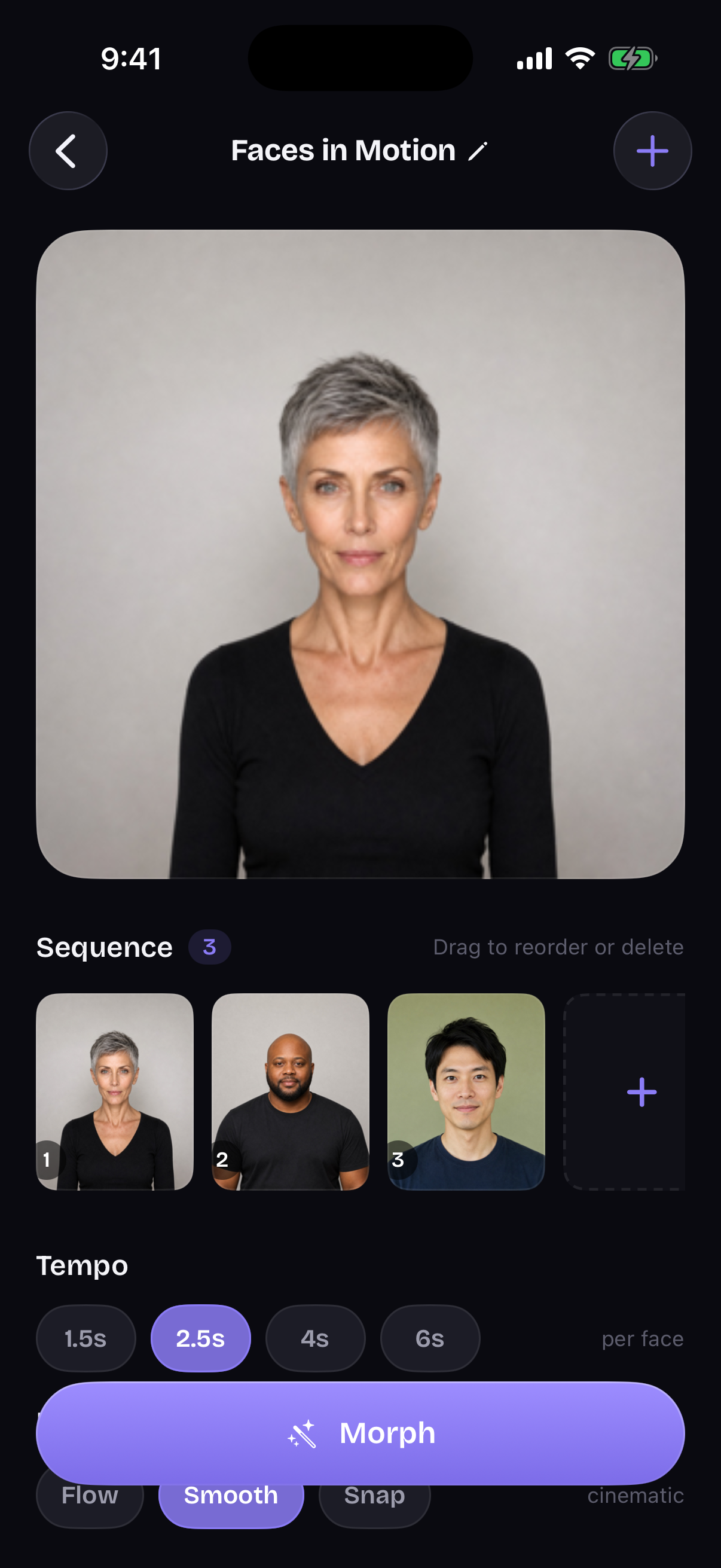
Build your sequence
Reorder faces, choose the tempo, and pick Flow, Smooth, or Snap.
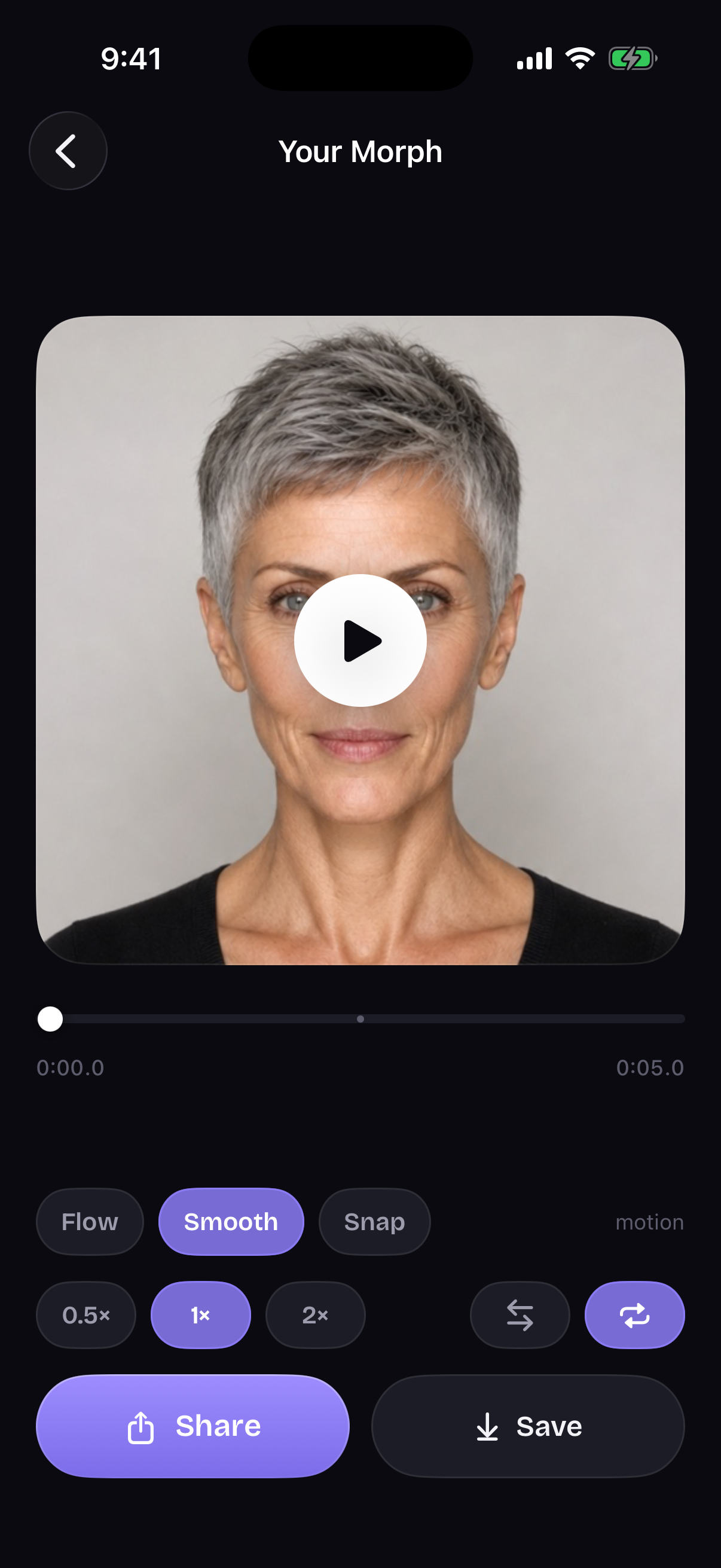
Perfect the moment
Scrub every transition, change the speed, loop it, or play it ping-pong.
See the whole transformation at once.
On iPad, the morph gets room to breathe: preview the timeline, watch the face change, and jump into making one of your own.
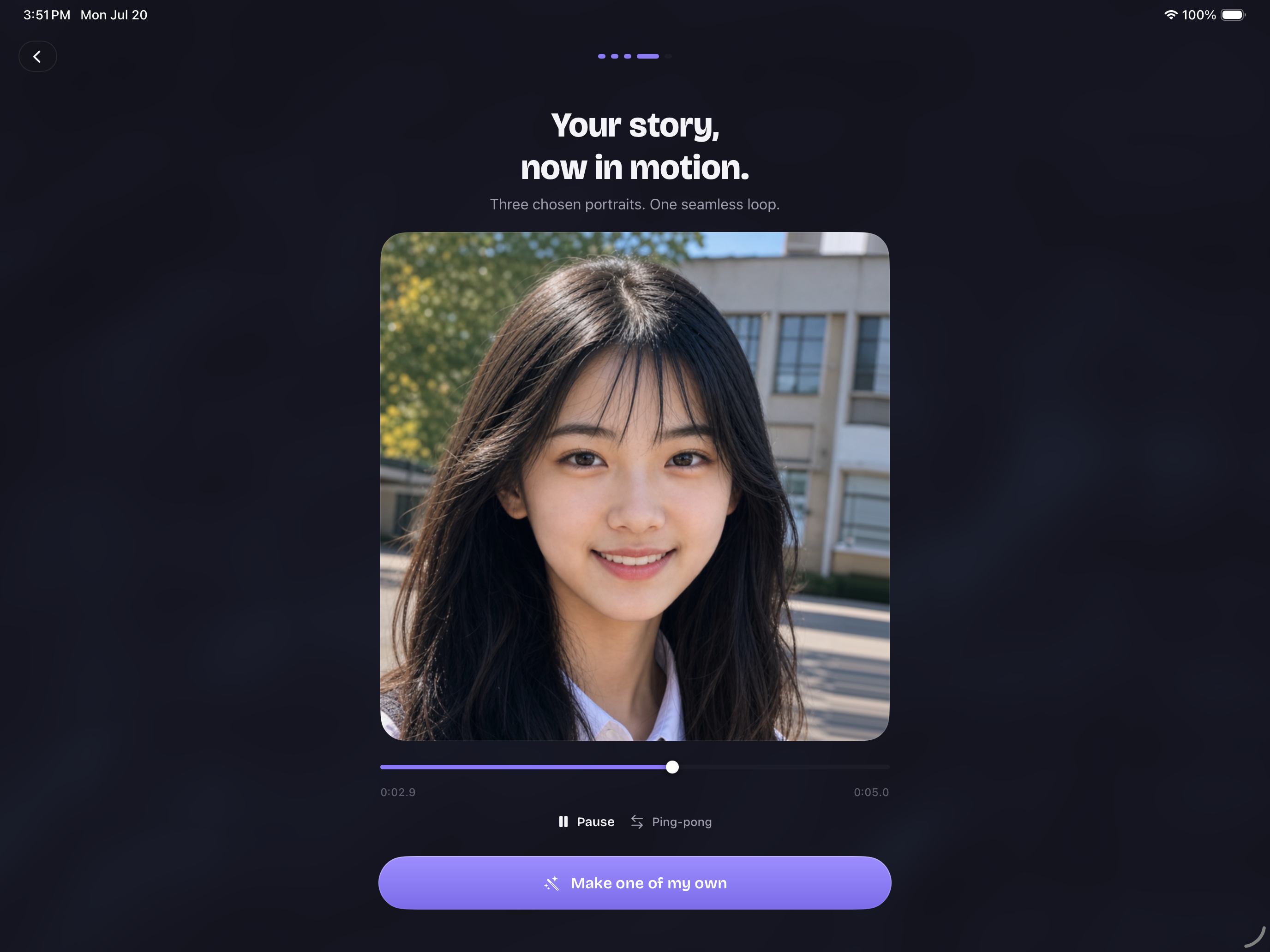
Real morphs.
Straight from the app.
The screens show the controls. These clips show the payoff: faces moving through a real sequence, rendered on-device.
Choose the faces
Start with portraits from your library, camera, or files. Morphio checks and aligns them as you build.
Shape the motion
Scrub the playhead and tune the exact character of the transformation with three motion styles.
Keep the good ones
Your morphs live as projects in a calm gallery, ready to open, adjust, and share again.
Enough control to direct it.Enough magic to enjoy it.
Chain 2–8 faces
Turn a handful of portraits into one continuous transformation, from first face to last.
Flow, Smooth, or Snap
Choose the motion language that fits the story, from cinematic to quick and playful.
Set the tempo
Choose 1.5, 2.5, 4, or 6 seconds per face and make every beat land where you want it.
Scrub, loop, ping-pong
Preview the full timeline, slow it down, reverse the feeling, and find the frame worth sharing.
HD video & GIF
Export the finished morph as a video or GIF, ready for a message, a post, or your camera roll.
Private by design
Face analysis, rendering, and export happen on-device. Your photos stay with you.
Your faces stay yours.
Morphio processes your photos on-device, so the creative part stays personal from the first portrait to the final export.

Ready to see
the change?
Bring a few faces together and make a moment out of them.